
AI Payroll & Job Costing for Field Service Teams.
Eliminate manual calculations. MyCCSApp automatically turns employee time logs into payroll-ready reports and labor cost audits instantly.
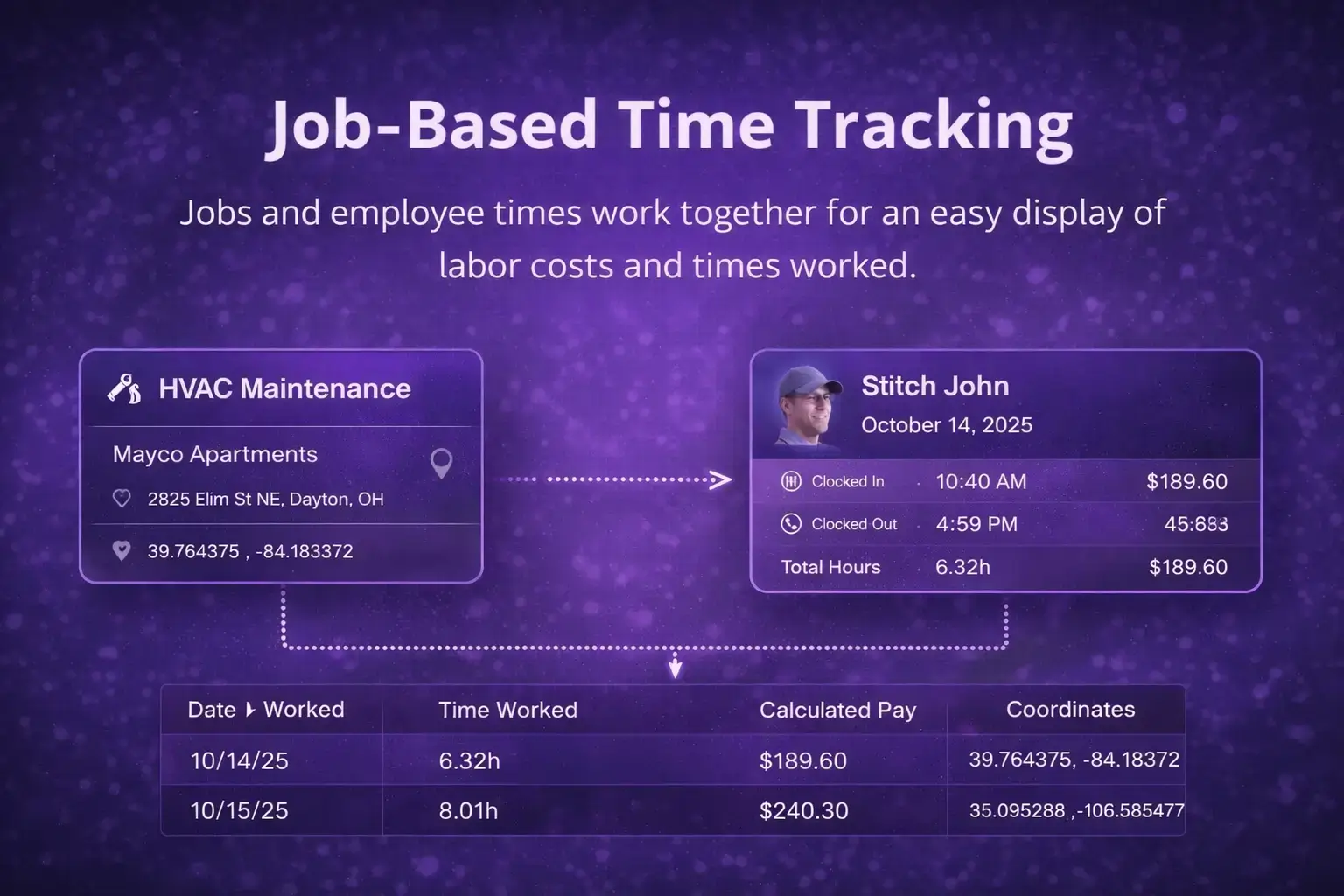
Precision Time Tracking.
Zero "Guesstimation."
Stop relying on handwritten timesheets and "best guesses." MyCCSApp captures exact labor data the moment your team hits the job site, ensuring your payroll is as accurate as your work.
Geofenced Clock-In
Ensure crews are actually on-site. Every clock-in and clock-out event is timestamped and GPS-verified automatically.
Labor Cost Attribution
Instantly tie employee hours to specific jobs to see your true labor profitability while the crew is still in the field.
Instant Log Review
Admins can view and approve shift logs as they happen—no more chasing down paper logs at the end of the week.
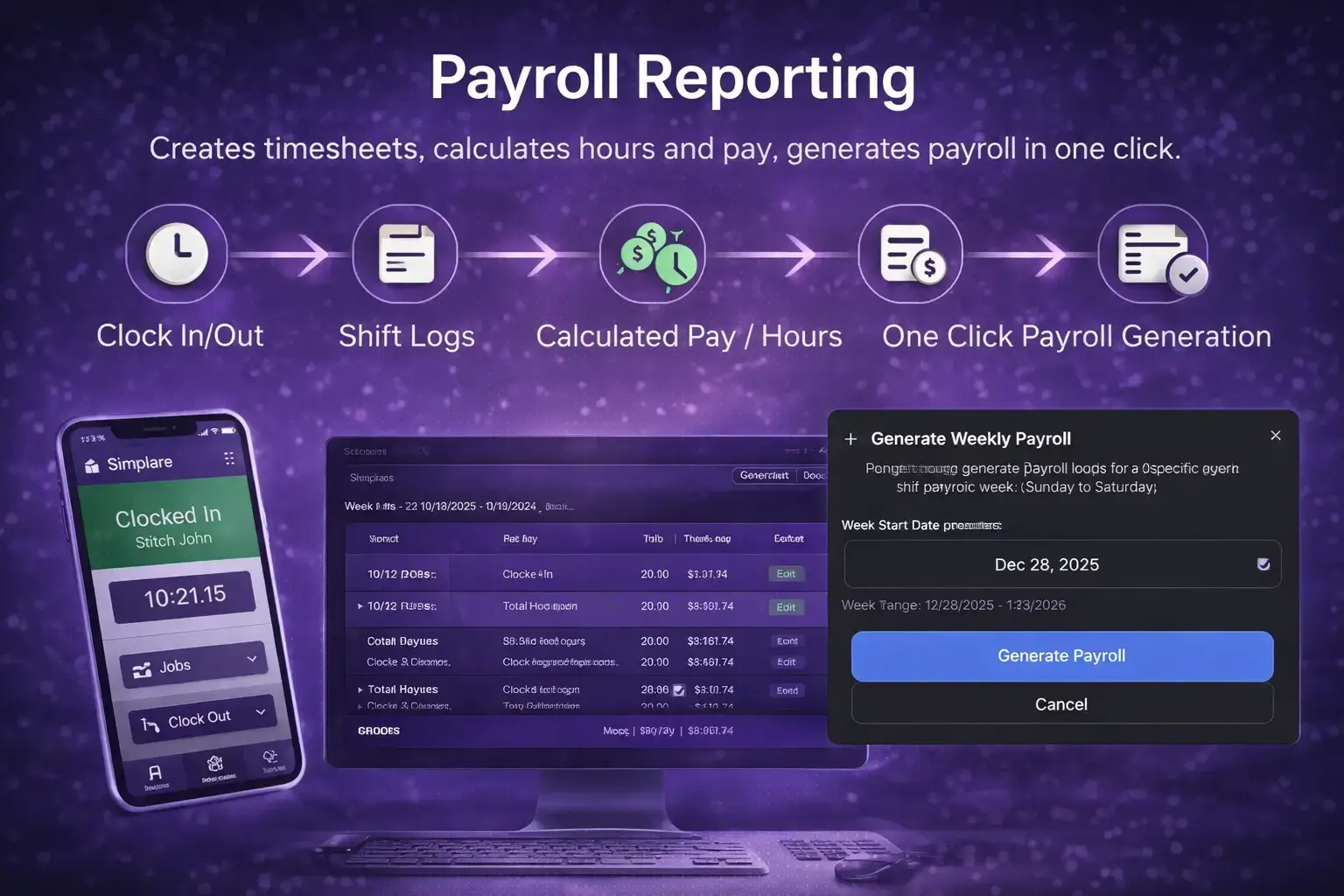

One-Click Payroll-Ready Reporting.
Stop wasting your weekends on spreadsheets. Generate comprehensive reports for any date range and export verified data to your accounting software.
- Automated OT Calculation: Intelligent logic automatically identifies and calculates overtime based on shift thresholds.
- Detailed Employee Audits: Drill down into specific GPS-verified logs to verify every dollar spent on labor.
- Universal CSV Exports: Generate clean data files formatted for QuickBooks, ADP, Gusto, and more.
- Historical Paper Trail: Access every past report instantly for dispute resolution or tax season audits.
Payroll-ready reports — not just raw data.
MyCCSApp organizes your data into clean, usable formats so you can export to QuickBooks, ADP, or Gusto in seconds.
Payroll Summaries
Generate reports that include employee hours, pay rates, job-based breakdowns, and pay period totals instantly.
Export Anywhere
Whether you use QuickBooks, Gusto, or ADP, our CSV exports integrate seamlessly with your payroll provider.
Reduce Errors
Data flows directly from employee activity. No missing hours, no double entries, and no handwritten timesheets.
Transparent History
Employees can view their own shifts and history, increasing transparency and reducing disputes over hours.
Labor Costing
See exactly how much labor each job cost you. Track profitability by service or project effortlessly.
Mobile-First
Owners can review shifts and generate payroll summaries directly from their phone. No desktop required.
Built for the whole team.
Owners
- Payroll-ready accuracy
- Labor cost visibility
- Confidence in data
Office Staff
- Clean reports
- Fewer questions
- Faster processing
Employees
- Clear shift history
- Accurate tracking
- Trust in the system
Try MyCCSApp free for 14 days.
Streamline your dispatch, impress your customers, and never lose an invoice again. Built for service businesses that want to grow.
Start Your Free TrialSimple pricing. Built to scale.
No contracts. No surprise fees. Choose the plan that fits where you are — upgrade when you’re ready.- Full Platform Access
- 1 User (Solo)
- Up to 1,000 Customers
- Up to 50 Jobs / month
- 5 GB Secure Storage
- Perfect for solo operators getting organized.
- AI Voice & Scanner Included
- Full Platform Access
- Up to 3 Users
- Unlimited Customers
- Unlimited Jobs / month
- 15 GB Secure Storage
- For growing businesses that need more volume.
- AI Voice & Scanner Included
- Full Platform Access
- Up to 10 Users
- Unlimited Customers
- Unlimited Jobs / month
- 50 GB Secure Storage
- For teams running high volume operations.
- AI Voice & Scanner Included
Frequently Asked Questions
Does MyCCSApp run my payroll for me?
MyCCSApp handles the "Pre-Payroll" work. It tracks hours, verifies time, calculates totals, and applies pay rates so you have a "Payroll-Ready" report. You then take those final numbers to your payroll provider (like Gusto or QuickBooks) or write checks directly.
How does the system calculate hours?
Employees clock in and out via the app. The system automatically totals regular hours and separates overtime based on your settings, eliminating the need for manual calculator work.
Can I export payroll data?
Yes. You can export a clean, organized CSV or Excel file containing all employee hours, rates, and totals. This file can be easily sent to your accountant or payroll service.
Does it track overtime automatically?
Yes. You can set weekly overtime thresholds (e.g., 40 hours). The system will automatically flag and calculate hours worked beyond that limit as overtime.
Can I set different pay rates for employees?
Yes. Each employee profile allows you to set a specific hourly rate. The payroll report uses this rate to calculate estimated gross pay for the period.
Is the time tracking accurate?
Yes. Time logs are GPS-verified when employees clock in and out. This prevents "buddy punching" and ensures you are paying for actual time on the job.
Can I edit time logs if an employee makes a mistake?
Yes. Admins have full control to edit time logs. If an employee forgets to clock out, you can correct the entry before running the final payroll report.
Does it handle different pay periods?
Yes. You can run reports for any date range you choose—weekly, bi-weekly, or monthly—to match your company’s pay schedule.
Can employees see their own hours?
Yes. Employees can view their own timesheets and total hours for the period in the mobile app, which reduces questions and disputes on payday.
Does this replace QuickBooks or Gusto?
It complements them. QuickBooks and Gusto handle the tax filing and money transfer. MyCCSApp handles the operational time tracking so you have accurate numbers to give them.
Can I see payroll costs per job?
Yes. Since time logs are tied to specific jobs, you can run reports to see exactly how much labor cost went into a specific project to ensure profitability.
Is payroll reporting included in all plans?
Yes. Payroll reporting is a core feature available on all MyCCSApp plans, scaling with the number of users allowed on your subscription.