
Automated Crew Intelligence & Real-Time Field Insights.
Take control of your workforce with automated field intelligence. From GPS-verified clock-ins to AI-powered job documentation, manage your entire crew’s performance and payroll without picking up a pen.
One-Tap GPS Clock-In
Ensure payroll accuracy with location-verified timestamps. Employees clock in via their mobile app, capturing the exact GPS coordinates to eliminate time theft and manual logging.
Autonomous Verification
Verify field work without site visits. Our AI analyzes uploaded job photos and time logs to provide a transparent, unalterable record of progress for your customers and payroll.
Field Lead Capture
Turn your field crew into a sales engine. Techs can instantly log new leads or upsell opportunities on-site, which syncs immediately to your CRM for office follow-up.
Live Expense Logging
Capture material and fuel costs the moment they occur. Field entries flow directly into your real-time financial intelligence dashboard to ensure every job stays profitable.
Resource Allocation
Assign specific trucks and high-value equipment to your crews. Track asset utilization alongside labor hours to get a 360-degree view of your daily operational overhead.
Role-Based Permissions
Maintain total control over your data. Define custom access levels for different crew roles, ensuring sensitive financial and customer information remains secure.
Everything connected automatically.
No duplicate entry. No disconnected systems. Employee actions flow directly into your business operations.
One-Tap Clock In
Employees clock in and out directly from their dashboard. Automatic shift logging eliminates paper timecards forever.
Proof of Work
Upload photos and completion notes instantly. Everything stores with the job record for clean history and easy invoicing.
Capture Leads
Crews can capture new sales leads instantly while in the field. Data flows directly into your sales pipeline.
Log Expenses
Employees can log fuel or material expenses on the fly, ensuring accurate job costing and profitability tracking.
Past Shifts
Transparency is key. Employees can view their previous shifts and completed jobs to track their own work history.
Payroll Ready
Time logs connect directly to payroll reporting, saving you hours of manual calculation every pay period.
Ready to organize your crew?
Assign jobs, track work, and keep everyone aligned without the chaos. Try MyCCSApp free for 14 days.
Start Your Free TrialBuilt for real service businesses.
Ideal For:
- Cleaning Companies
- Pressure Washing
- Landscaping Crews
- HVAC & Plumbing
- General Contractors
The Benefits:
- Fast Employee Setup
- Real-Time Updates
- Fewer Admin Headaches
- Built-In Time Tracking
- Happy Crews
Simple pricing. Built to scale.
No contracts. No surprise fees. Choose the plan that fits where you are — upgrade when you’re ready.- Full Platform Access
- 1 User (Solo)
- Up to 1,000 Customers
- Up to 50 Jobs / month
- 5 GB Secure Storage
- Perfect for solo operators getting organized.
- AI Voice & Scanner Included
- Full Platform Access
- Up to 3 Users
- Unlimited Customers
- Unlimited Jobs / month
- 15 GB Secure Storage
- For growing businesses that need more volume.
- AI Voice & Scanner Included
- Full Platform Access
- Up to 10 Users
- Unlimited Customers
- Unlimited Jobs / month
- 50 GB Secure Storage
- For teams running high volume operations.
- AI Voice & Scanner Included
Frequently Asked Questions
How does employee management work in MyCCSApp?
MyCCSApp lets you create profiles for your staff on our Pro and Business+ plans. You can assign them to specific roles, dispatch jobs, and track their work hours automatically within our Customer CRM environment.
Can employees track time from their phones?
Yes. Employees can Clock In and Clock Out directly from the mobile interface. The system records the time and GPS location, creating an accurate timesheet without manual paper logs.
Does the app track GPS location?
Yes. When an employee clocks in or changes job status (e.g., "On My Way" or "Arrived"), the app captures a GPS stamp. This provides proof of presence and helps ensure crews are where they need to be.
Can I limit what my employees see?
Absolutely. MyCCSApp uses Role-Based Access Control. Technicians only see their assigned jobs and schedules, while Owners and Managers have access to billing, customer data, and reports.
How do I dispatch jobs to crews?
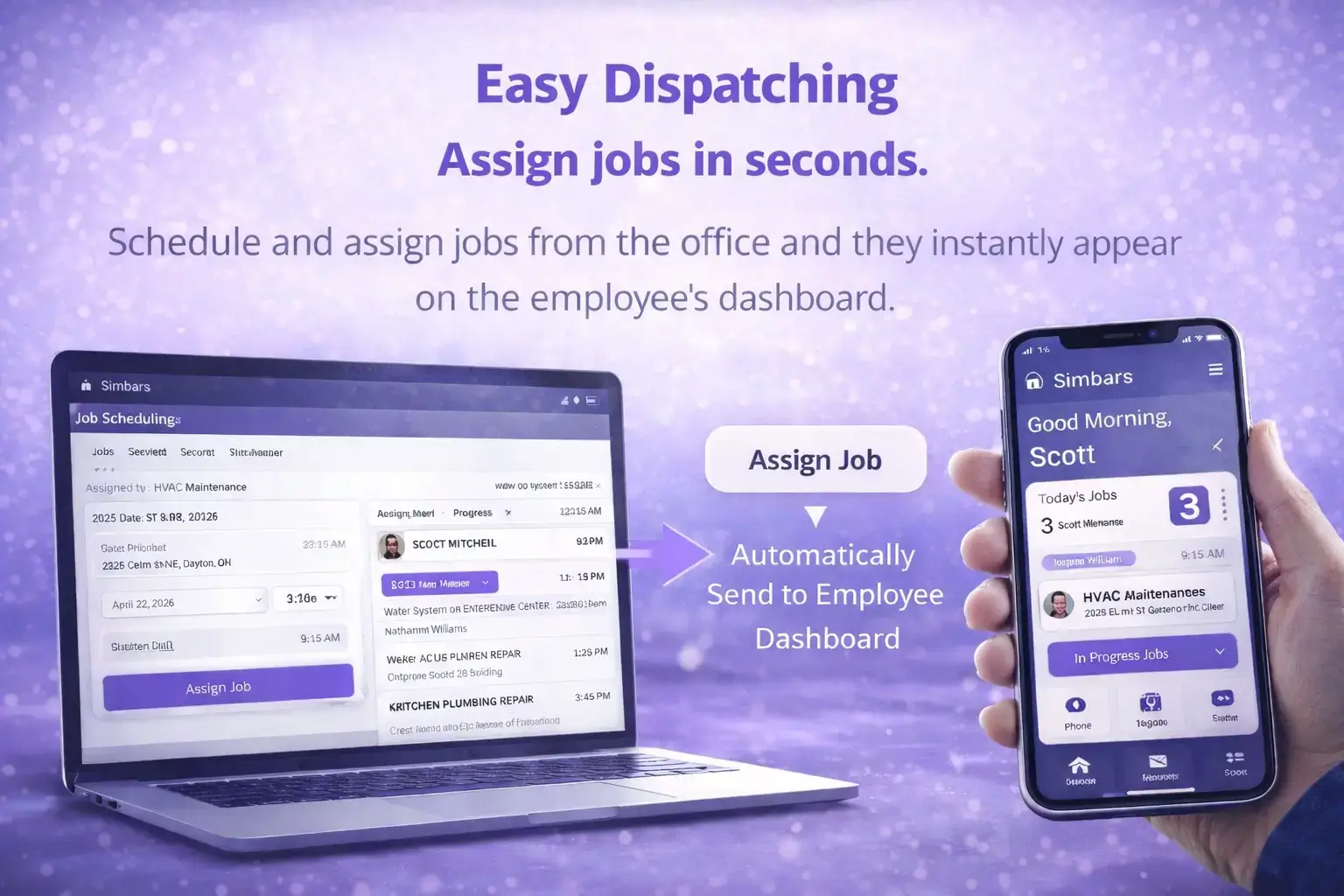
You can assign a job to a single employee or an entire crew. Once assigned, the job details appear instantly on their mobile devices via our Scheduled Jobs & Dispatch system.
Can employees upload photos and notes?
Yes. Field staff can take before/after photos and add notes directly to the job record. These are instantly synced to the office and can be included on the final invoice for the customer.
Does time tracking connect to payroll?
Yes. Verified hours flow directly into our Automated Payroll reports. You can view total hours, overtime, and pay rates per employee, making payroll processing a matter of minutes.
Is there a limit to how many employees I can add?
Limits are based on your subscription. The Starter ($14.99/mo) plan is for a solo operator. The Pro ($29.99/mo) plan includes up to 3 users, and the Business+ ($69.99/mo) plan includes up to 10 users.
Do employees need to pay for the app?
No. Your business subscription covers the licenses for your team. Employees simply download the free app and log in with the credentials you create for them.
Can I see where my crews are in real-time?
Yes. The map view allows you to see the last known location of your crews based on their job status updates, helping you dispatch the nearest tech to new leads.
What happens if an employee forgets to clock out?
Admins can easily edit time entries. If an employee forgets to clock out, you can adjust the time manually in the dashboard to ensure payroll remains accurate.
Can I message my team through the app?
Yes. You can add internal notes to jobs that only your team can see. This is perfect for gate codes, hidden key locations, or specific job instructions.
One Neural Ecosystem.
MyCCSApp isn’t a collection of tools — it’s an Autonomous Operating System where every lead, job, and dollar is connected in a single, high-performance lifecycle.